Skip to content
i2img
Remove backgroundEnhance photoRemove watermarkColorize photoCompress imageRemove objects
All tools
Home
Tools
Photo Colorization
Old black-and-white photos

Colorize old black-and-white photos

Bring old family photos to life: upload a scan or a phone picture of a black-and-white print and the AI adds natural color in seconds. Free, no sign-up.

  • Natural, realistic color
  • JPG, PNG or WebP download
  • No sign-up, no watermark

or drop a file here, or paste with Ctrl+V

JPG, PNG, WEBP, BMP, TIFF, GIF, up to 20 MB each. Up to 5 at once

Download format

No image? Try one:

See the past the way it looked

Pick an example, then drag the slider to compare.
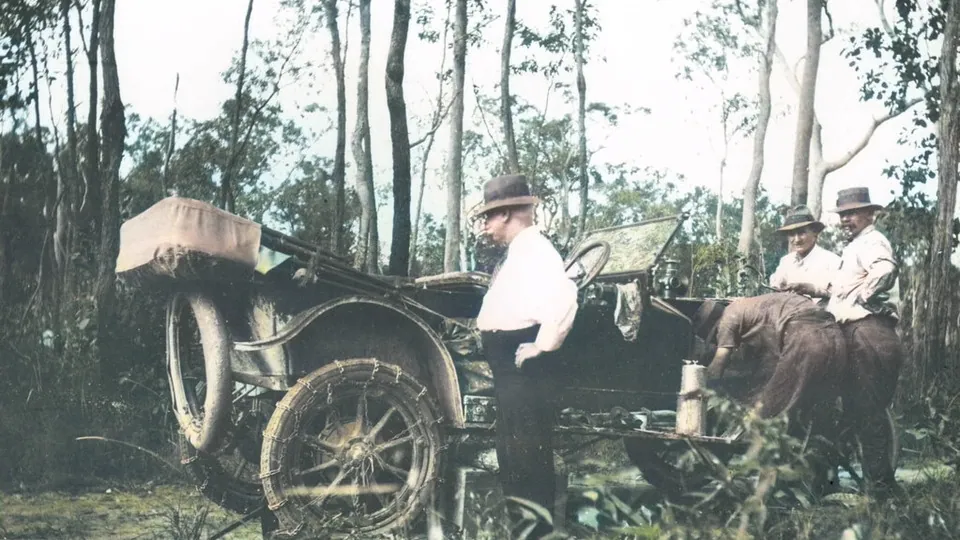
The vintage car photo colorized
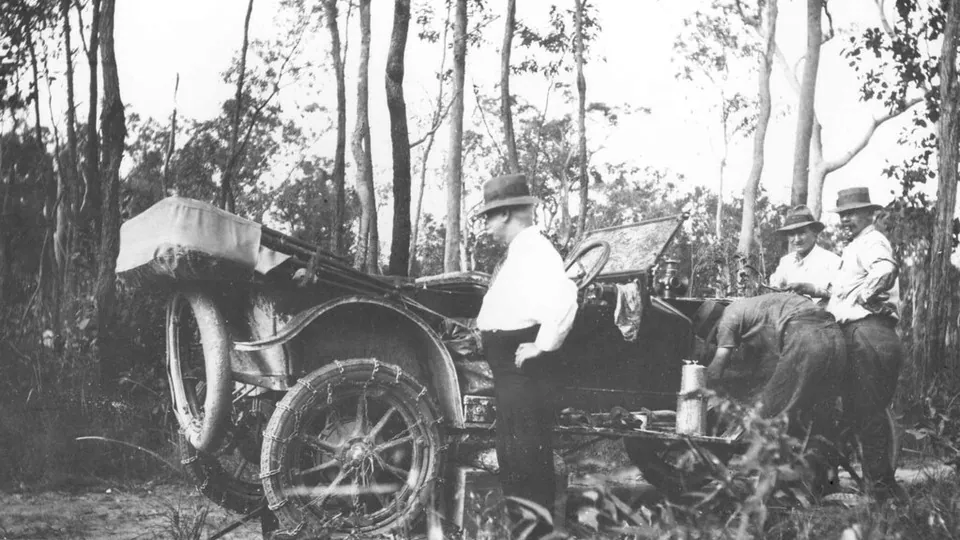
Black-and-white photo of people beside a vintage car in the woods
BeforeAfter

History in full color

  • Realistic colors for skin, clothes and trees
  • Keeps the original detail and grain
  • Works on scans and phone photos of prints

How it works

  1. 1

    Scan or photograph the print

    A flatbed scan at 600 dpi works best. With a phone, lay the print flat in daylight and avoid glare.

  2. 2

    Upload it here

    The AI recognises skin, sky, foliage and clothing and colors each one.

  3. 3

    Download the color version

    Save it as JPG, PNG or WebP. Compare it with the original using the slider first.

Related tools

  • Colorize old black-and-white photosColorize photo
  • Restore scratched and faded old photosRestore old photo
  • Sharpen blurry and low-resolution photosEnhance photo
  • Upscale small images without losing detailUpscale image

Tips for the best colorized old photos

The sharper the input, the better the colors. Scan the original print rather than photographing a copy, and crop away the album page or frame before uploading.

Faces and landscapes give the most convincing results. Very small or blurry photos benefit from running through the photo enhancer first.

Questions

The AI predicts likely colors from what it recognises, such as skin, sky and grass. It can’t know the real color of a dress or a car, so treat the result as a realistic interpretation.

Repair it first with the old photo restorer, which can also add color in the same step, then download the result.

Yes. Sepia and faded prints are treated the same way as black-and-white ones.

No. Your upload stays as it is; you download a new color copy.

Yes. There is no sign-up and no watermark on the download.

Ready to see it in color?

Free, no sign-up, and done in seconds.

i2img

Free AI tools to cut out, fix, and resize your photos in the browser. No account needed.

Cut out

  • Remove background
  • Cut out face
  • Separate clothing
  • Generate background

Enhance

  • Enhance photo
  • Upscale image
  • Restore old photo
  • Colorize photo

Clean up

  • Remove watermark
  • Remove objects
  • Retouch photo

Resize

  • Compress image
  • Expand image
  • Auto-crop photo

ID & documents

  • Make ID photo
  • Make retouched ID photo
  • Extract text

© 2026 i2img

  • All tools
  • Blog
  • About
  • Contact
  • Privacy Policy
  • Terms of Use