Skip to content
i2img
Remove backgroundEnhance photoRemove watermarkColorize photoCompress imageRemove objects
All tools
Home
Tools
ID Photo Maker
US visa photo

US visa photo, 2 × 2 inches

Turn a photo of yourself into a square 2 × 2 inch US visa photo with a white background, sized for the DS-160 upload and for printing. Free, no sign-up.

  • 2 × 2 in, 600 × 600 px
  • White background
  • No sign-up, no watermark

or drop a file here, or paste with Ctrl+V

JPG, PNG, WEBP, BMP, TIFF, GIF, up to 20 MB each. Up to 5 at once

Background

Check your country’s rules: most passports need white or light grey.

No image? Try one:

From a casual photo to an ID photo

Pick an example to see the original and the result.
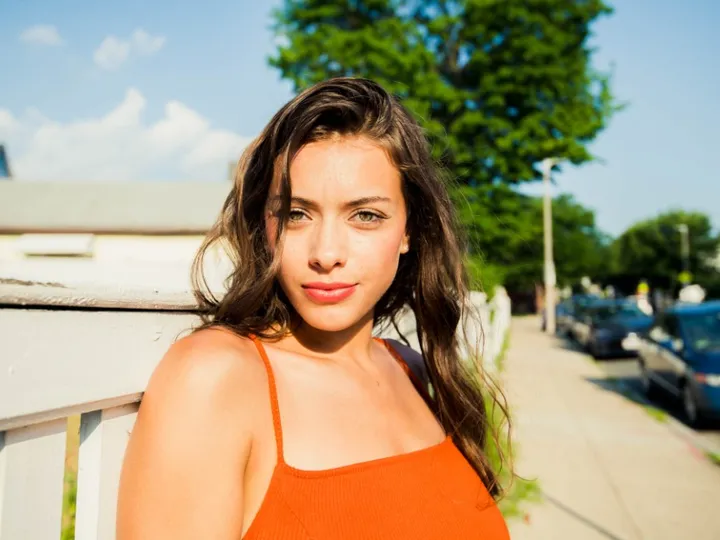
Woman in an orange top outdoors
Before
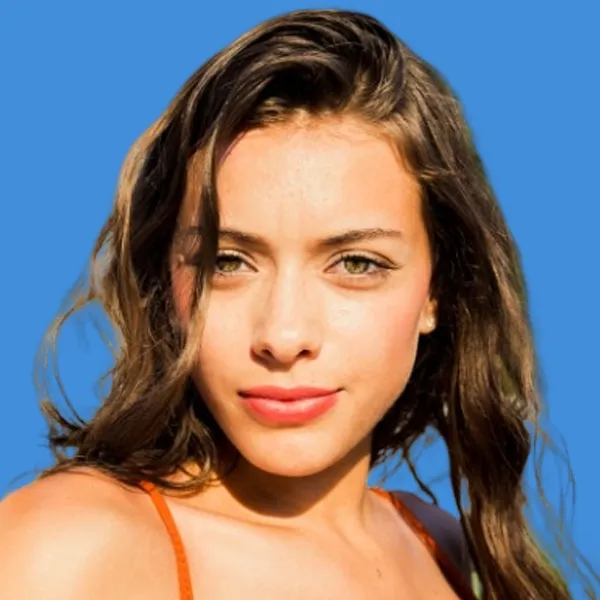
The woman as a 2 × 2 inch photo on blue
ID photo

2 × 2 in on blue

  • Square US size
  • Pick the background color you need
  • Check your document’s rules first

How it works

  1. 1

    Take a clear photo

    Face the camera with a neutral expression and both eyes open. Take off your glasses: they aren’t allowed in US visa photos.

  2. 2

    Upload it here

    “US passport and visa, 2 × 2 in” and a white background are already selected. The AI cuts out the background and squares the crop.

  3. 3

    Download for the DS-160

    You get a 600 × 600 px JPG, the minimum size the online form accepts. Print it at 2 × 2 inches if you need paper copies.

Popular uses

  • Pakistan passport photo (35 × 45 mm)

Related tools

  • Make a passport or visa photo onlineMake ID photo
  • Change the outfit on an ID photoMake retouched ID photo
  • Remove the background from product photosRemove background
  • Cut out faces for stickers and avatarsCut out face

Why US visa photos get rejected

The most common problems are shadows on the face or background, glasses, a head that is too small or too large in the frame, and photos older than six months.

Shoot in soft, even light facing a window, keep your head straight, and let the tool handle the white background and the square crop.

Questions

The US Department of State asks for a square color photo, 2 × 2 inches (51 × 51 mm), taken in the last 6 months, on a white or off-white background, with your head 1 to 1⅜ inches (25–35 mm) from chin to top of head. Glasses are not allowed.

Square, between 600 × 600 and 1200 × 1200 pixels, JPEG, and no larger than 240 KB. This tool produces 600 × 600 px; if a file is ever over 240 KB, run it through the image compressor.

Keep a neutral expression with both eyes open. A slight natural smile is usually fine, but a big smile is a common reason for rejection.

Yes, US passports use the same 2 × 2 inch format, so the same photo works for both.

On travel.state.gov, under “Photo Requirements”. The DS-160 also runs its own photo check when you upload.

Ready to make your ID photo?

Free, no sign-up, ready to print.

i2img

Free AI tools to cut out, fix, and resize your photos in the browser. No account needed.

Cut out

  • Remove background
  • Cut out face
  • Separate clothing
  • Generate background

Enhance

  • Enhance photo
  • Upscale image
  • Restore old photo
  • Colorize photo

Clean up

  • Remove watermark
  • Remove objects
  • Retouch photo

Resize

  • Compress image
  • Expand image
  • Auto-crop photo

ID & documents

  • Make ID photo
  • Make retouched ID photo
  • Extract text

© 2026 i2img

  • All tools
  • Blog
  • About
  • Contact
  • Privacy Policy
  • Terms of Use