Skip to content
i2img
Remove backgroundEnhance photoRemove watermarkColorize photoCompress imageRemove objects
All tools
Home
Tools
Image Compression
Compress to 100 KB

Compress an image to 100 KB

Online form says “maximum 100 KB”? Upload your photo and get a JPG under 100 KB, as sharp as that size allows. Free, no sign-up.

  • Under 100 KB, JPG
  • Up to 5 images at once
  • No sign-up, no watermark

or drop a file here, or paste with Ctrl+V

JPG, PNG, WEBP, BMP, TIFF, GIF, up to 20 MB each. Up to 5 at once

Compress by

Works with JPG and WebP output, not PNG. Large photos are also resized if that’s needed to fit.

Height follows to keep the proportions.

No image? Try one:

Smaller files that look the same

Pick an example to compare the original and the compressed file.
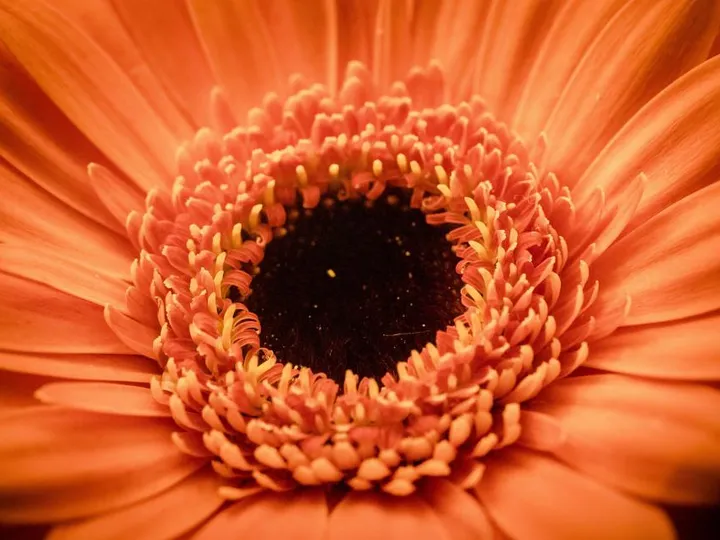
Original high-quality flower photo
Original JPG
Flower photo compressed to about 40 KB as WebP
WebP, about 40 KB

Hit an exact file size

  • Type a size in KB and we aim for it
  • Perfect for upload limits on forms and stores
  • Works with JPG and WebP output

How it works

  1. 1

    Upload your image

    JPG, PNG, WebP and more. “Target size” is already set to 100 KB with JPG output.

  2. 2

    It is compressed to fit

    Quality is lowered only as much as needed. Very large photos are also resized so they can fit under 100 KB.

  3. 3

    Download and upload

    The download is below 100 KB, ready for the form or site that asked for it.

Popular uses

  • Compress an image to 50 KB

Related tools

  • Compress JPG, PNG and WebP imagesCompress image
  • Sharpen blurry and low-resolution photosEnhance photo
  • Remove the background from product photosRemove background
  • Upscale small images without losing detailUpscale image

Why sites ask for images under 100 KB

Application portals, exam and job sites and government forms often cap uploads at a fixed size to keep their storage and pages light. A modern phone photo is usually several megabytes, far over the limit.

Compressing to a target size keeps the photo recognisable while meeting the limit, without you having to try different quality settings by hand.

Questions

Yes. If quality alone can’t get there, the image is also scaled down until it fits, and the result shows the final size.

A large phone photo can’t fit in 100 KB at full resolution and still look good, so it is resized. For most forms and profile photos this is invisible.

PNG files can’t be compressed to an exact size, so the result is JPG. Choose WebP instead if the site accepts it.

Yes. Change the “Target size” number before uploading, or switch to quality mode.

Yes. There is no sign-up and no watermark on the download.

Ready to shrink your images?

Free, no sign-up, and up to 5 files at once.

i2img

Free AI tools to cut out, fix, and resize your photos in the browser. No account needed.

Cut out

  • Remove background
  • Cut out face
  • Separate clothing
  • Generate background

Enhance

  • Enhance photo
  • Upscale image
  • Restore old photo
  • Colorize photo

Clean up

  • Remove watermark
  • Remove objects
  • Retouch photo

Resize

  • Compress image
  • Expand image
  • Auto-crop photo

ID & documents

  • Make ID photo
  • Make retouched ID photo
  • Extract text

© 2026 i2img

  • All tools
  • Blog
  • About
  • Contact
  • Privacy Policy
  • Terms of Use