Skip to content
i2img
Remove backgroundEnhance photoRemove watermarkColorize photoCompress imageRemove objects
All tools
Home
Tools
ID Photo Maker
India passport photo

India passport photo, 2 × 2 inches

Applying for an Indian passport through an embassy or service centre abroad? Make the 2 × 2 inch photo on a white background from your own picture. Free, no sign-up.

  • 2 × 2 in (51 × 51 mm)
  • White background
  • No sign-up, no watermark

or drop a file here, or paste with Ctrl+V

JPG, PNG, WEBP, BMP, TIFF, GIF, up to 20 MB each. Up to 5 at once

Background

Check your country’s rules: most passports need white or light grey.

No image? Try one:

From a casual photo to an ID photo

Pick an example to see the original and the result.
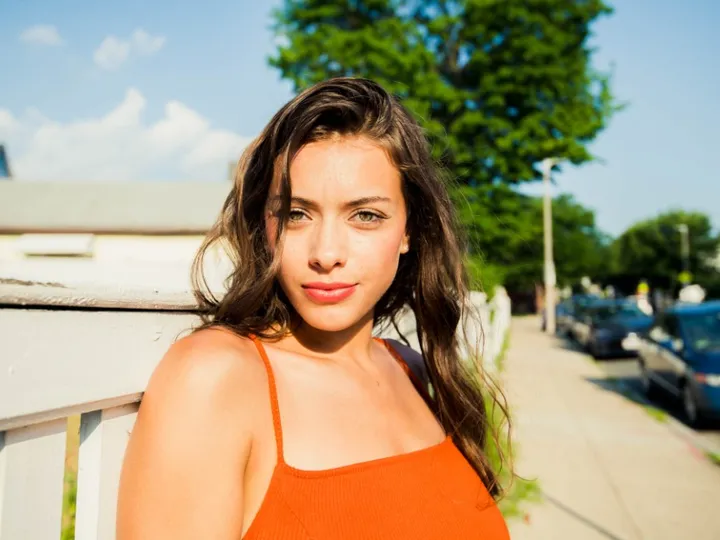
Woman in an orange top outdoors
Before
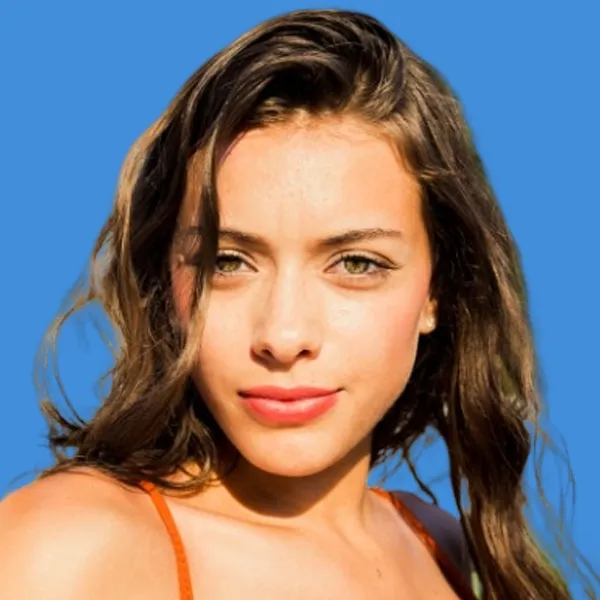
The woman as a 2 × 2 inch photo on blue
ID photo

2 × 2 in on blue

  • Square US size
  • Pick the background color you need
  • Check your document’s rules first

How it works

  1. 1

    Take a clear photo

    Face the camera with a neutral expression and both eyes open, in even light. Ears visible, no shadows.

  2. 2

    Upload it here

    The 2 × 2 inch size and a white background are already selected. The AI removes the background and crops to size.

  3. 3

    Print or upload

    Print at 2 × 2 inches, or upload the file if your application portal asks for a digital photo.

Popular uses

  • Pakistan passport photo (35 × 45 mm)
  • US passport photo (2 × 2 inches)
  • US visa photo (2 × 2 inches)
  • UK passport photo (35 × 45 mm)
  • Schengen visa photo (35 × 45 mm)
  • Canada passport photo (50 × 70 mm)

Related tools

  • Make a passport or visa photo onlineMake ID photo
  • Change the outfit on an ID photoMake retouched ID photo
  • Remove the background from product photosRemove background
  • Cut out faces for stickers and avatarsCut out face

Indian passport photos for applications abroad

When you renew or apply for an Indian passport outside India, the embassy or its service centre tells you exactly what photo to bring. Most ask for 2 × 2 inches on white, and many check that your face is centred and clearly lit.

Take the photo against a plain wall in daylight and let the tool handle the white background and the crop.

Questions

Indian missions and their passport service centres abroad commonly ask for a 2 × 2 inch (51 × 51 mm) photo on a plain white background. Check the instructions of the mission or service centre handling your application.

At a Passport Seva Kendra in India, your photo is normally taken during your appointment, so you usually don’t bring one.

A plain white background with no shadows. The tool replaces whatever is behind you with white.

On passportindia.gov.in and on the website of the Indian embassy, consulate or service centre you are applying through.

Yes. There is no sign-up and no watermark on the download.

Ready to make your ID photo?

Free, no sign-up, ready to print.

i2img

Free AI tools to cut out, fix, and resize your photos in the browser. No account needed.

Cut out

  • Remove background
  • Cut out face
  • Separate clothing
  • Generate background

Enhance

  • Enhance photo
  • Upscale image
  • Restore old photo
  • Colorize photo

Clean up

  • Remove watermark
  • Remove objects
  • Retouch photo

Resize

  • Compress image
  • Expand image
  • Auto-crop photo

ID & documents

  • Make ID photo
  • Make retouched ID photo
  • Extract text

© 2026 i2img

  • All tools
  • Blog
  • About
  • Contact
  • Privacy Policy
  • Terms of Use